
Project Overview
MP Seminars had delivered Logos Bible Software training via DVDs for over 20 years, but needed to modernize their approach to stay relevant.
I led the design and development of a new subscription platform that gave users on-demand access to training videos across devices, complete with progress tracking, note-taking, and content update notifications.
Timeline
6 Months
Team
1 Product Designers
1 Developer
Role
Lead Product Designer
Frontend Developer
Tools
Adobe XD
Photoshop
Visual Studio Code
Google Docs
Google Meet
Platform
Responsive website
Status
Shipped
Live
Contribution
User interviews
Primary research
Concept ideation
High-fidelity designs
Prototyping
Frontend Development
Problem Context
DVD-based training had become outdated and lacked flexibility. It limited MP Seminars to only offering new content during major software updates, with no ability to revise or add material between releases.
This made it difficult to support continuous learning and adapt quickly to changes in the Logos software.
Core Challenge
How might we transition MP Seminars from static DVD content to a dynamic, subscription-based platform that supports continuous learning and delivers a modern user experience?
Research & Insights
To ensure the platform met the needs of real users, I conducted interviews with existing MP Seminars customers and prospective subscribers to understand their habits, frustrations, and goals when it came to online training.
These conversations helped validate initial research, revealed new feature opportunities, and directly influenced the platform’s structure, navigation, and content presentation.
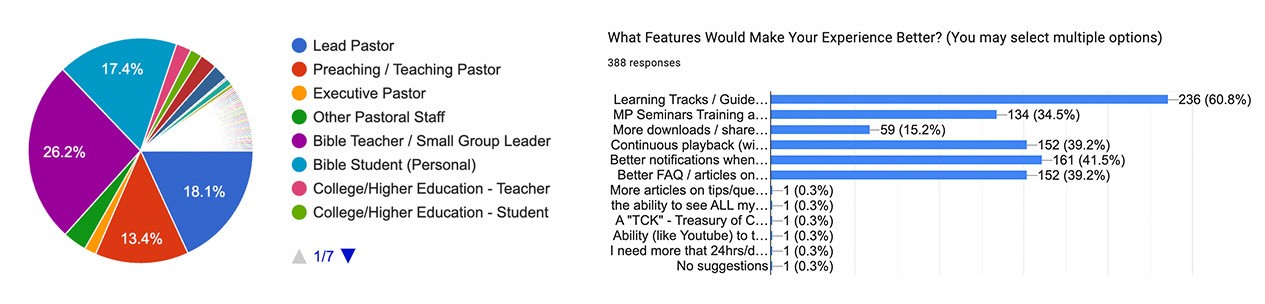
Research survey sent to existing MP Seminars subscriber base (409 responses captured)
This helped uncover key insights about:
Primary User Types
Identifying who would be using the training platform most frequently.
Content Preferences
Understanding which topics and training formats users found most valuable.
Pain Points
Learning the common challenges users faced when engaging with digital content.
Feature Requests
Gathering input on desired platform features to enhance the online training experience.
User Personas
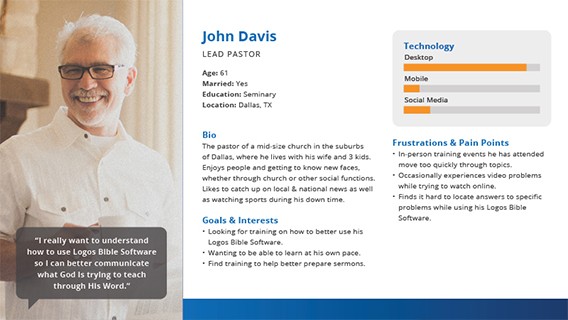
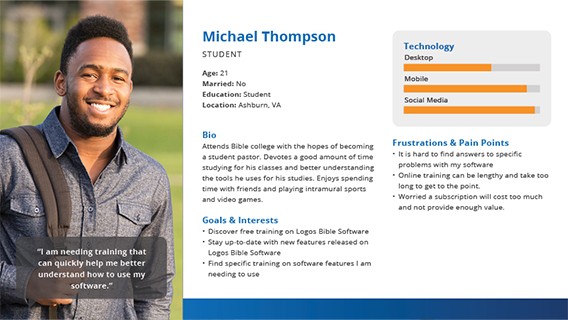
Based on research insights and user interviews, I created detailed personas to represent the core audience for the subscription platform.
These personas helped guide design decisions throughout the project—shaping user flows, prioritizing features, and ensuring the visual direction aligned with user expectations and comfort levels.
User Flow
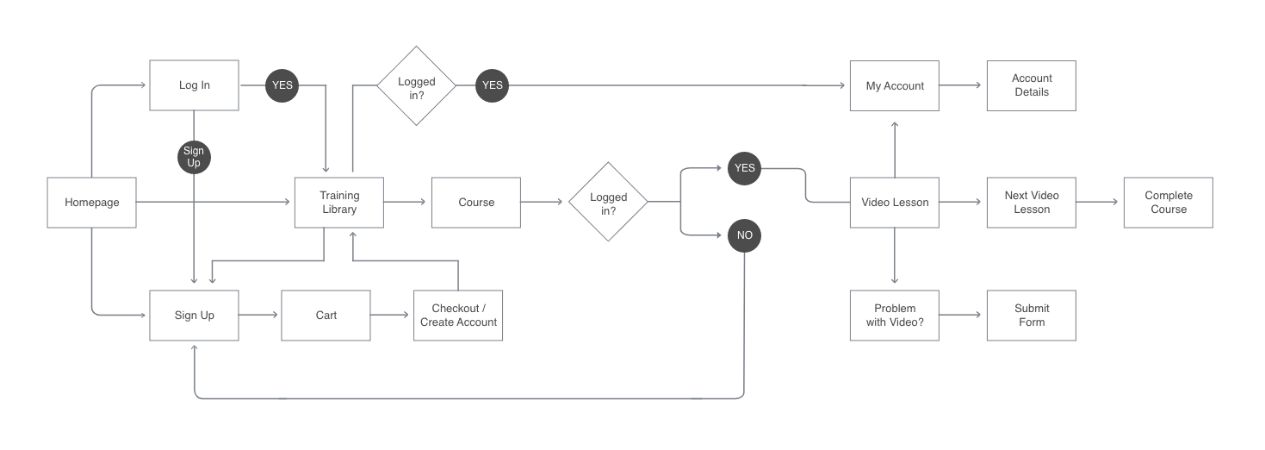
I created a detailed sitemap and user flowcharts to ensure the journey—from selecting a membership to accessing secure training content—was intuitive and friction-free.
This process helped us identify potential drop-off points and optimize the experience for clarity and ease of use.
Wireframing
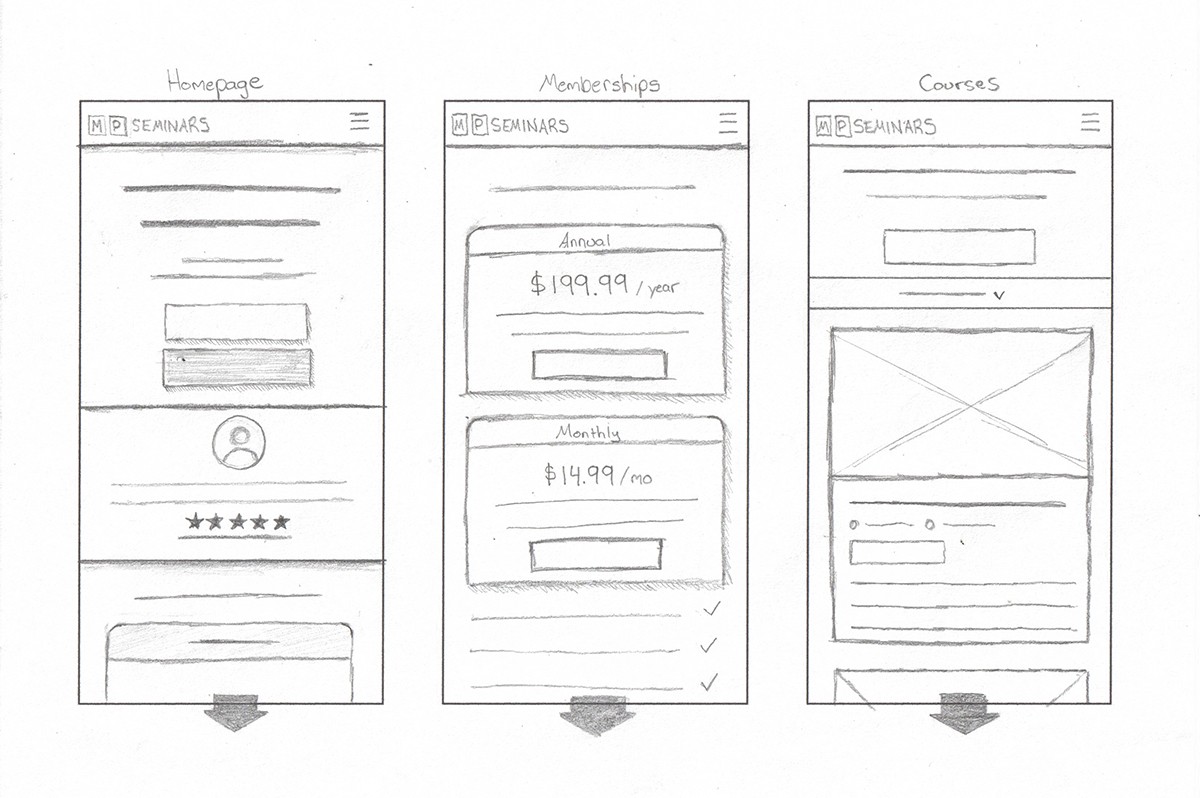
Wireframes explored key interactions such as choosing a membership, watching a lesson, and moving through a course.
I focused on simplifying decision-making and guiding users through a clean, distraction-free experience tailored for learning and engagement.
Design System
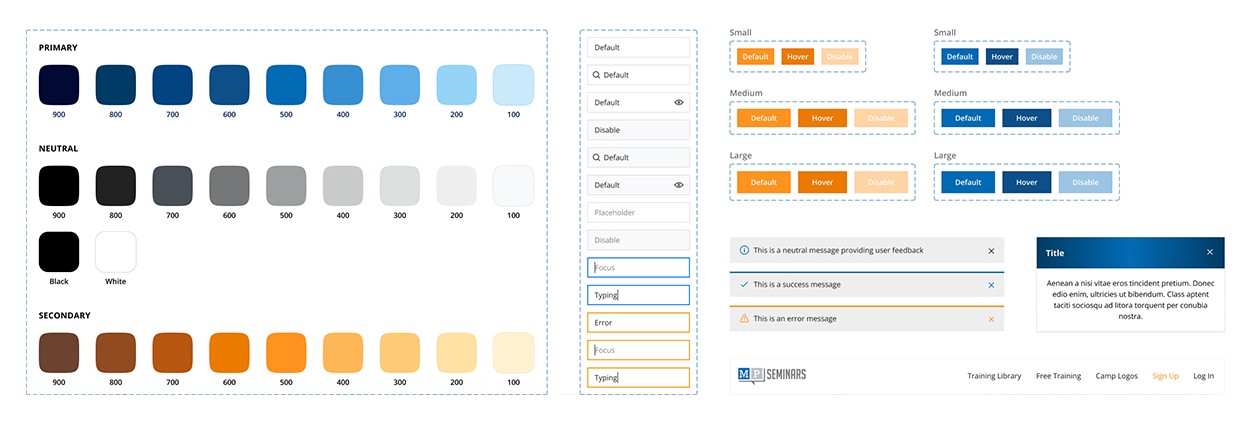
To ensure consistency, I established a visual design system with reusable UI components, typography, and color guidelines.
This not only streamlined the design process but also supported efficient handoff and implementation during development.
Visual Mockups
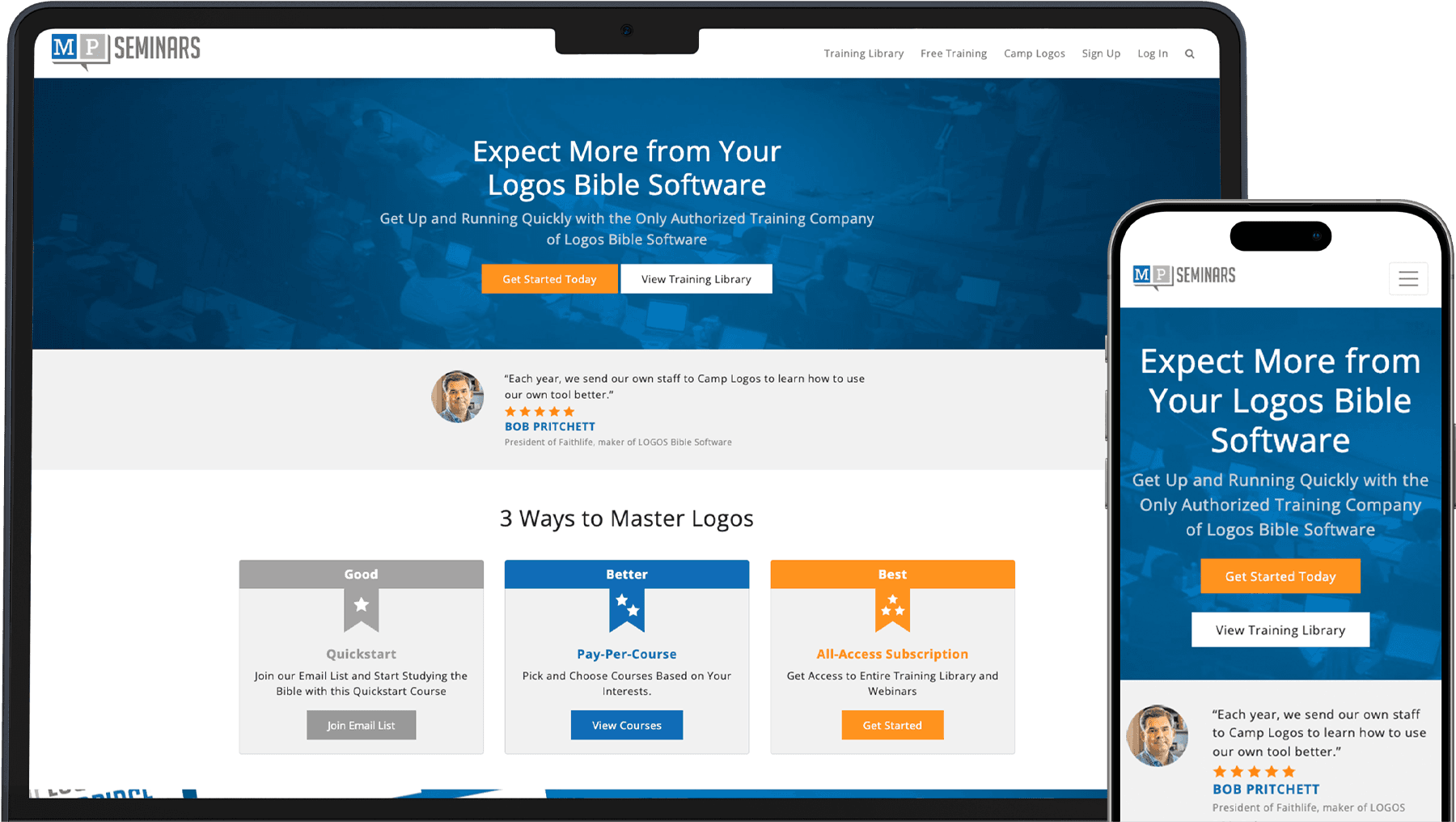
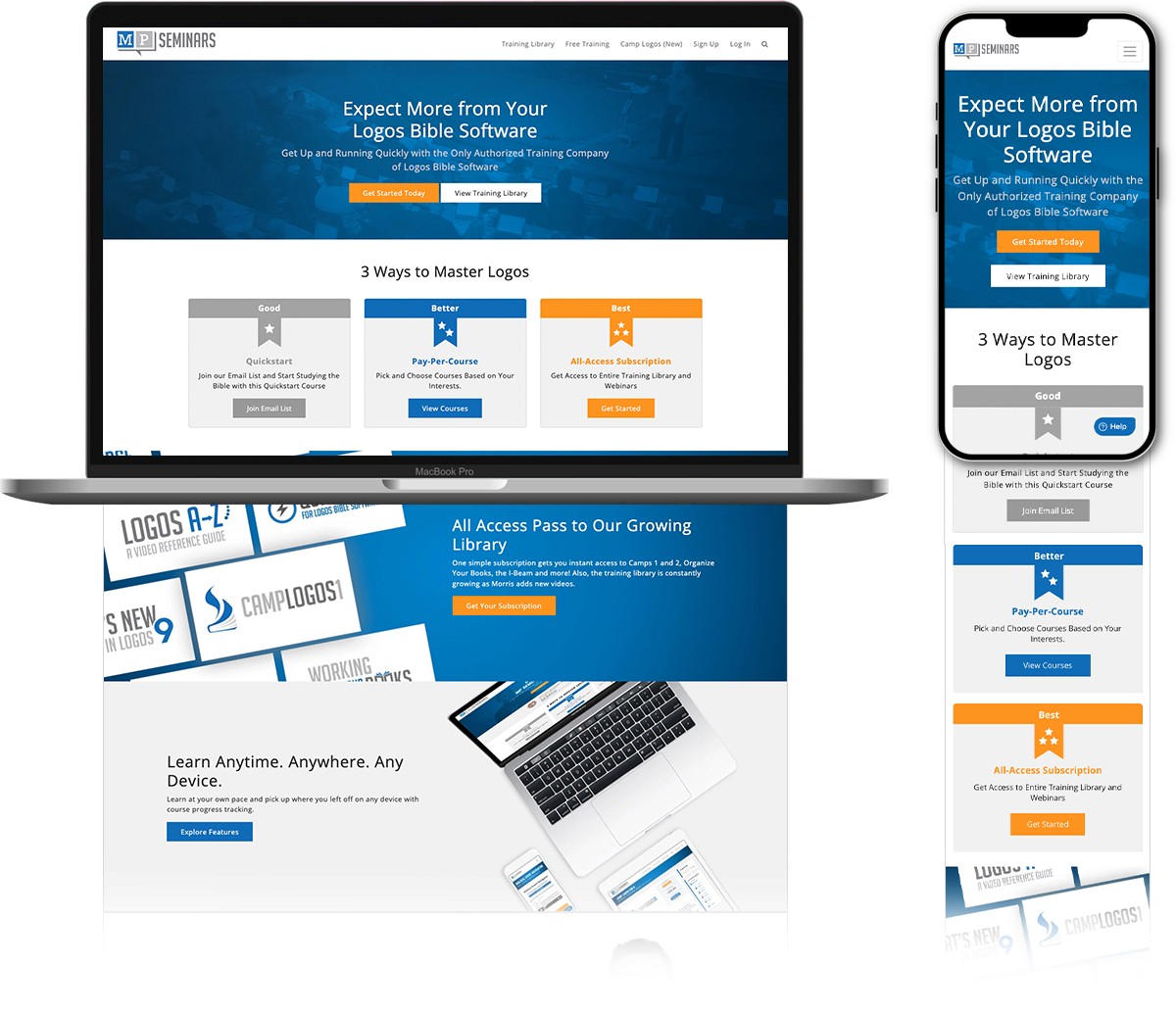
I created high-fidelity mockups for both mobile and desktop to illustrate the final look and feel of the platform.
These visuals were shared with stakeholders to validate design direction, ensure alignment on functionality, and refine details before development began.
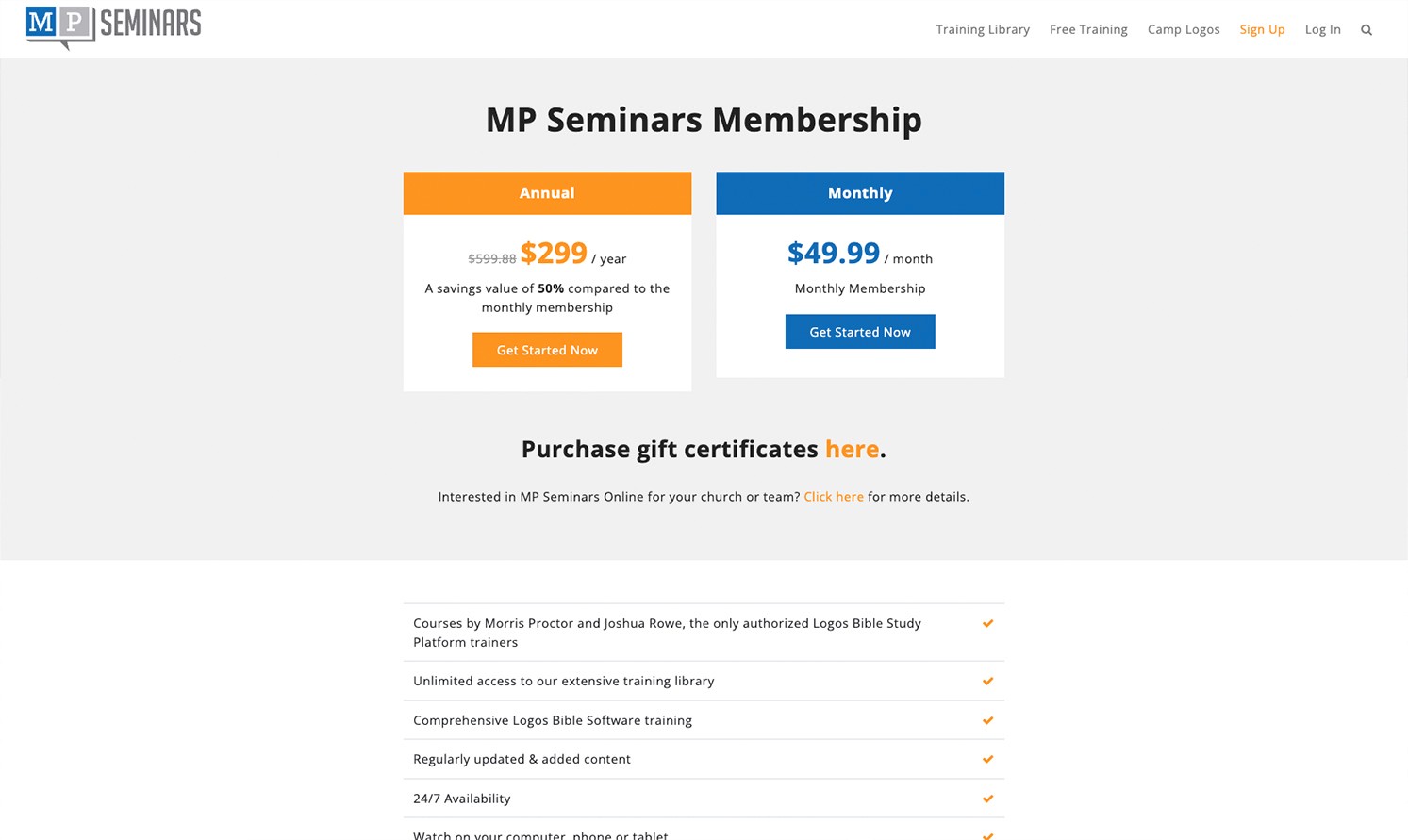
Subscription Access
Created a membership model that allowed users to subscribe and unlock premium training content across all devices.
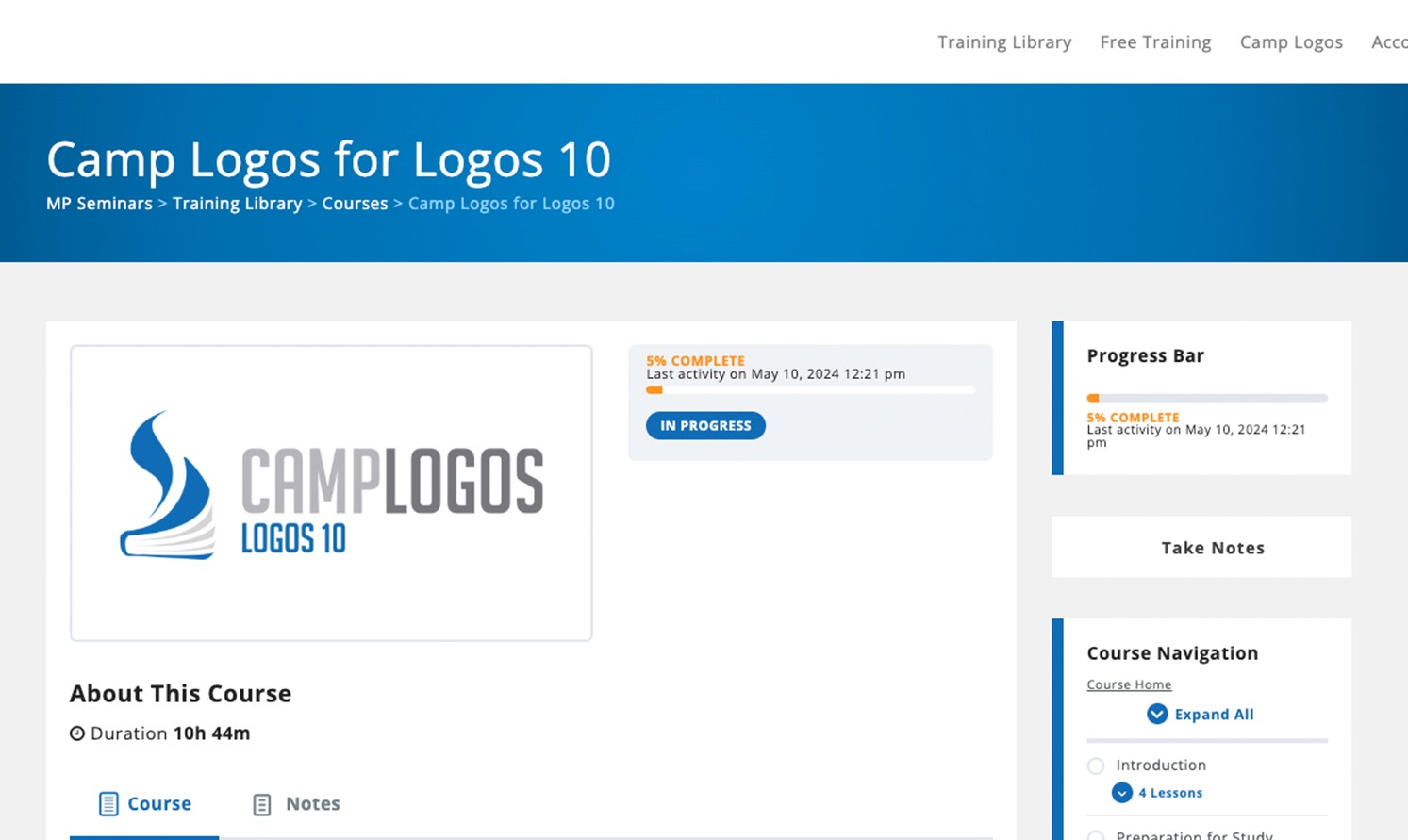
Course Progress Tracking
Enabled users to track their progress through each course, encouraging completion and engagement.
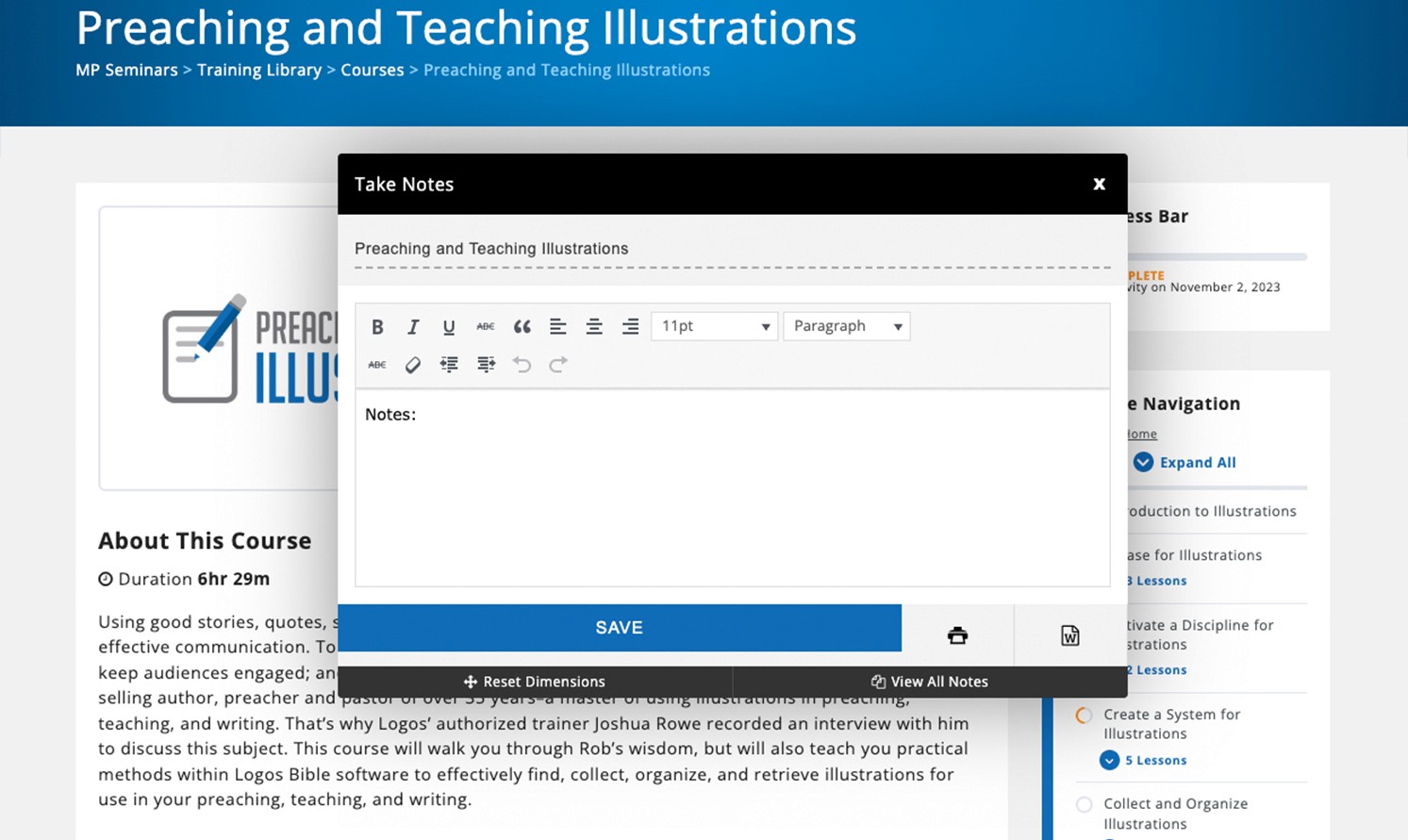
Note-Taking Features
Added functionality for users to take and save notes directly within video lessons for better retention and learning.
Cross-Device Usability
Ensured a seamless, responsive experience for users whether they were on desktop, tablet, or mobile.
Development & Testing
As the front-end developer, I was responsible for bringing the designs to life through functional code.
Frontend Development
Developed HTML, CSS, and JavaScript for all website areas.
Responsive Framework
Built a responsive framework for seamless experiences across desktop, tablet, and mobile devices.
Integrations
Integrated third-party features such as payment gateways and email collection.
Quality Assurance
Conducted thorough testing to ensure all website elements functioned correctly across browsers and devices.
Key Success & Outcome
Since launching in late 2020, MP Seminars' subscription base has grown to over 3,200 active subscribers.
By incorporating customer feedback and optimizing user experiences, retention rates have steadily improved. Specialized landing pages, combined with A/B testing, have enabled the team to track customer interactions and develop targeted strategies for continued growth.
Iteration Milestones
User feedback was essential to refining the platform. Through support channels and in-person events, we collected valuable insights that drove key iterations:
Adding sorting by category in training library
Adding the ability to pay-per-course
Creating a dashboard that contains all pertinent info for the user
These improvements contributed to a more engaging and streamlined user experience, fostering long-term customer satisfaction and platform growth.